
Catering ERP · Built for India
Every event, end to end
Quotes, kitchen, inventory, delivery, payments and payroll in one system — so nothing lives in a spreadsheet or a WhatsApp group.
Already use CaterFlow? Sign in
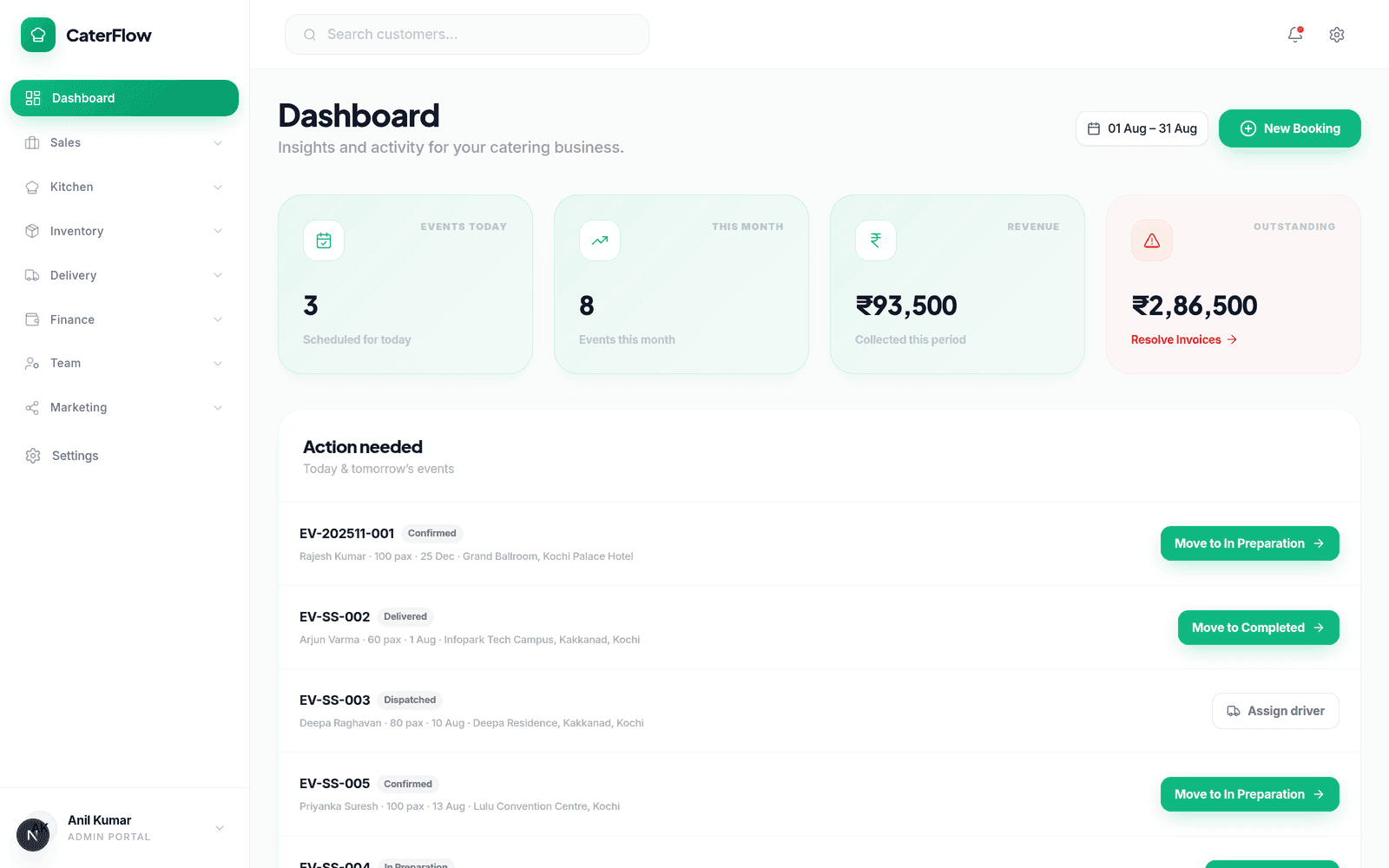
What CaterFlow gives you
Eight modules, one login
Sales, kitchen, inventory, delivery, finance, team, website and social in a single system.
GSTR-1 & GSTR-3B ready
Tax-compliant invoicing with GST reporting and filing exports built in.
WhatsApp Business API
Send quotes and updates where your customers already are, with delivery receipts.
Native iOS & Android apps
Native apps for owners, kitchen and customers, alongside the browser experience.
How it works
One event, start to end
This is the actual path an event takes through CaterFlow — the screens, the people, and the status each record moves through.
- 1
Owner · /customers
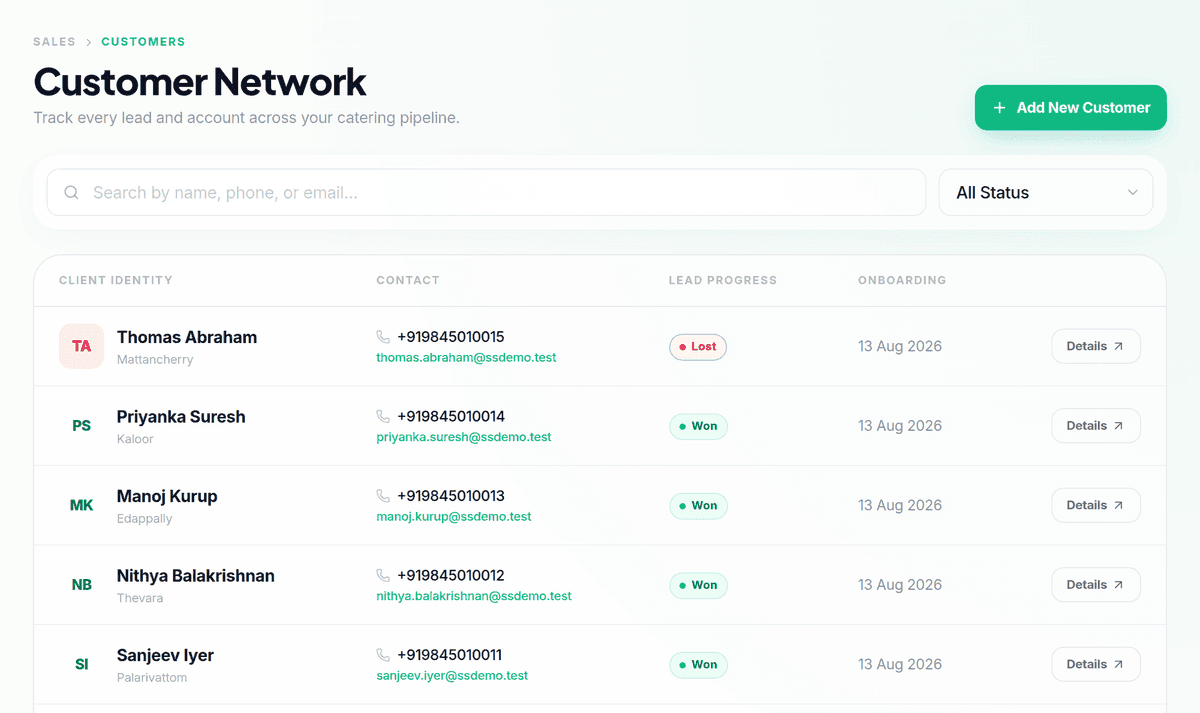
An enquiry lands
Add the customer once — contact, address, GSTIN — and log the enquiry against them. Every quote, event, message and payment that follows attaches to this record.
NEWCONTACTEDThe customer timeline starts recording activity from this moment.
- 2
Owner · Quote wizard
Build the quote
Pick dishes from your menu library, set the guest count, and the wizard prices it per plate. Save it as a draft and revise it as the customer changes their mind.
DraftLine totals and GST are calculated from the menu selection.
- 3
Owner · WhatsApp / Email
Send it and win it
Send the quote over WhatsApp or email without leaving the app. You can see when it was delivered and read, so you know when to follow up.
SentAcceptedWONDelivery and read receipts come back from the WhatsApp Business API.
- 4
Automatic · /events
The quote becomes an event
An accepted quote converts into a confirmed event with its menu, guest count, venue and date already filled in. Record the advance and the balance tracks itself.
ConfirmedPendingPartialThe event is created from the quote — nothing is retyped.
- 5
Owner / Kitchen · /forecast → /purchase-orders → /inventory
Plan and procure
Forecast demand from your confirmed events, raise purchase orders against your vendors, and receive stock in. Usage for the event is logged against it so cost per event is real.
DraftSentReceivedReceiving a purchase order writes a Purchase stock transaction and updates levels.
- 6
Kitchen · /kitchen tablet
Cook it
The kitchen tablet shows the day's events with prep lists. Staff start cooking, then work through a QA checklist with photos before marking it ready.
NotStartedCookingReadyStatus changes push live to every tablet and to the owner dashboard.
- 7
Driver · /driver
Dispatch and deliver
Assign a driver and they get the venue, directions and the load on their phone. They mark each leg of the trip, and close it with a proof-of-delivery photo.
AssignedPickedUpInTransitDeliveredPosition and a proof-of-delivery photo can be captured against the event record.
- 8
Owner · /financials → /analytics
Settle up and learn
Record the balance against the event, chase what is outstanding, and file your GST. Then look at what the event actually cost you and what it earned.
PartialPaidCompletedGSTR-1 and GSTR-3B exports are generated from your recorded invoices.
- 1
Owner · /customers
An enquiry lands
Add the customer once — contact, address, GSTIN — and log the enquiry against them. Every quote, event, message and payment that follows attaches to this record.
NEWCONTACTED - 2
Owner · Quote wizard
Build the quote
Pick dishes from your menu library, set the guest count, and the wizard prices it per plate. Save it as a draft and revise it as the customer changes their mind.
Draft - 3
Owner · WhatsApp / Email
Send it and win it
Send the quote over WhatsApp or email without leaving the app. You can see when it was delivered and read, so you know when to follow up.
SentAcceptedWON - 4
Automatic · /events
The quote becomes an event
An accepted quote converts into a confirmed event with its menu, guest count, venue and date already filled in. Record the advance and the balance tracks itself.
ConfirmedPendingPartial - 5
Owner / Kitchen · /forecast → /purchase-orders → /inventory
Plan and procure
Forecast demand from your confirmed events, raise purchase orders against your vendors, and receive stock in. Usage for the event is logged against it so cost per event is real.
DraftSentReceived - 6
Kitchen · /kitchen tablet
Cook it
The kitchen tablet shows the day's events with prep lists. Staff start cooking, then work through a QA checklist with photos before marking it ready.
NotStartedCookingReady - 7
Driver · /driver
Dispatch and deliver
Assign a driver and they get the venue, directions and the load on their phone. They mark each leg of the trip, and close it with a proof-of-delivery photo.
AssignedPickedUpInTransitDelivered - 8
Owner · /financials → /analytics
Settle up and learn
Record the balance against the event, chase what is outstanding, and file your GST. Then look at what the event actually cost you and what it earned.
PartialPaidCompleted
Everything in the box
Eight modules, one system
Not eight apps you have to reconcile at the end of the month.
Who it’s for
Everyone gets their own view
Access is scoped by role, so nobody wades through screens that are not theirs.
Owner
Sees everything and runs the business.
- Dashboard and analytics
- Quotes, events and customers
- Finance, inventory and payroll
Kitchen
Signs in to the tablet and cooks.
- Today's events and prep lists
- QA checklist and photos
- Stock and waste logging
Driver
Works from their assigned deliveries.
- Assigned deliveries
- Venue directions
- Proof-of-delivery capture
Admin
Handles the team and the paperwork.
- Shift calendar and rosters
- Leave and attendance
- Salary and payroll runs
How you use it
- 1
Add a driver
From the Drivers page, give them an email and password — the Delivery role is set automatically.
- 2
They sign in with their own account
Every teammate gets their own email and password to sign in with.
- 3
They land on their own screens
Kitchen opens to prep and stock, drivers to their deliveries, admins to team and payroll — nothing outside their role.
Platform
Built for where the work happens
Built for the kitchen tablet
Large targets and high contrast for wet hands and bright rooms.
Native iOS and Android apps
Native apps for owners, kitchen and customers, with a connectivity indicator when signal drops.
WhatsApp Business API
Quotes and updates delivered where your customers already are.
Live sync across devices
Kitchen and delivery status changes reach the office instantly over a live connection.
How you use it
- 1
Open the browser on the tablet
Go to your CaterFlow web address and sign in — nothing to install.
- 2
A Kitchen login lands on the kitchen dashboard
Sign in with a Kitchen account and you land straight on today's events.
- 3
It updates itself while you cook
Status changes push over a live connection, with polling as a fallback if it drops.
Pricing
Straightforward plans
Starter
For a small catering business finding its feet.
₹999/month
Start Free Trial- Customers, quotes and events
- Menu library and recipe costing
- Inventory with low-stock alerts
- Quote delivery over email
- Email support
Professional
For a growing operation running events every week.
₹2,499/month
Start Free Trial- Everything in Starter
- Kitchen tablet display with QA checklists
- Delivery tracking with proof of delivery
- Purchase orders, vendors and forecasting
- Finance, GST reporting and GSTR exports
- Team, shifts and payroll
- Website builder and social calendar
- WhatsApp Business API
- Priority support
Enterprise
For high-volume caterers who need more than the standard plan.
Custom
Contact Sales- Everything in Professional
- Custom integration work under contract
- Dedicated account manager
- Onboarding and data migration
- SLA guarantee
How you use it
- 1
Create your account
Sign up with your business details — no credit card required.
- 2
Load your menu
Add your dishes, and quoting is ready to use.
- 3
Add the rest as you grow
The kitchen tablet, delivery tracking and payroll come with Professional — upgrade when you need them.
FAQ
Questions worth asking
Ingredients import from CSV in bulk. Customers and menu items are added in the app today — Enterprise plans include a managed migration if you have a lot to bring across.
Yes, and that is the point. Access is scoped by role — kitchen staff work from prep and stock, drivers work from their assigned deliveries, admins handle the team, and the owner sees everything.
A WhatsApp Business API account connected to CaterFlow. Once connected, quotes and updates send from the app and delivery and read receipts come back automatically.
GST is calculated on quotes and invoices, and the system generates GSTR-1 and GSTR-3B exports from your recorded invoices for filing.
Any modern tablet with a browser and a reliable connection. The display is designed for large touch targets and high contrast, and updates arrive live over a websocket.
Yes — native iOS and Android apps for owners, kitchen and customer-facing use. Delivery runs through the browser on the driver dashboard. The main admin experience runs in the browser.
Start a free trial and load your menu — that unlocks quoting straight away. Inventory, kitchen and payroll can be switched on as you grow into them.
Stop running events across six spreadsheets.
Start free, load your menu, and send your first quote today.